Star Citizen Alpha 4.8 beginner’s guide: the shortest clean start
Star Citizen 4.8 is big enough to feel weird and small enough to learn if you keep the first session narrow. This guide trims the noise and shows you the shortest path to a working account, a landed ship, and a first mission.
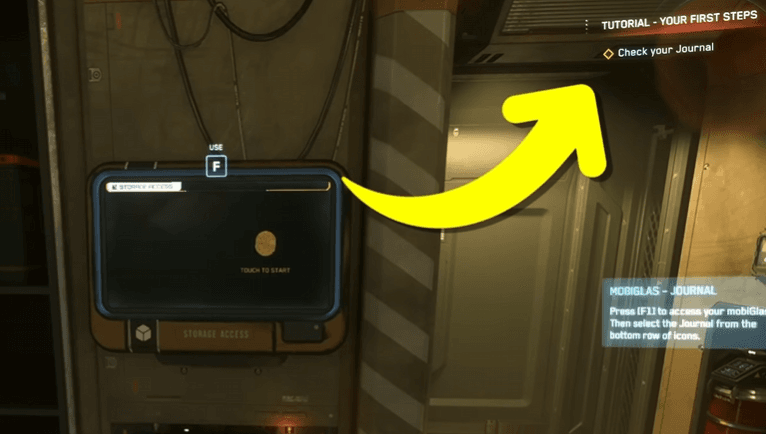
Hero image: the first tutorial prompt is doing the heavy lifting here. Follow it instead of skipping ahead.
The point of the first hour
Get the account right, get the game open, and learn enough to finish one simple loop without feeling lost.
The best first win
Leave your starting location, find your ship, fly one short leg, and return on purpose. That is enough for day one.
The easy mistake
Treating day one like a settings lab, a shopping trip, or a combat tutorial before you can read the basic screens.
Do less than you think, and you will learn more.
The best first hour is quiet. Make the account, follow the prompts, learn where your inventory, journal, and contracts live, then stop after one real success. Star Citizen stops feeling overwhelming once you stop asking one session to teach you everything.
Ready to enlist?
Start on the official RSI site
This enlist link includes the referral code for new accounts so the official new-player bonus can attach during signup.
Enlist on RSIReferral disclosure: if you create an RSI account using this referral code, you receive the official new-player bonus, and this site owner may receive referral rewards.
Star Citizen can feel huge on the first day because it asks you to learn a lot of tiny systems at once. The trick is not to master those systems immediately. The trick is to keep the first session small enough that you can finish something without panic-clicking your way through the UI.
This guide is built for a brand-new pilot who just wants a clean start. It does not try to cover every career path or every patch detail. It covers the bits that matter first: the account, the install, the tutorial, the screens you will keep reopening, and one simple loop that proves the game is playable for you.
1. Make the account the right way
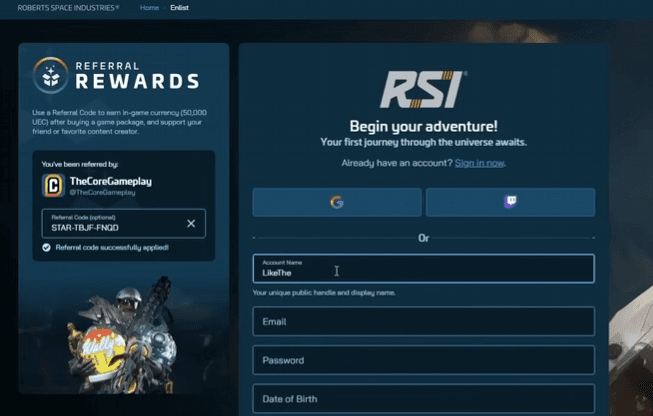
Start on the official RSI site and finish the account cleanly. If you want the referral signup bonus, enter the code while the form is still open. After signup, that door is usually closed.
Keep the purchase decision simple. You do not need to spend half the night comparing ships before the launcher even opens. For the first session, any normal starter package is enough to get you in the game and moving.
2. Get the client open and leave the launcher alone
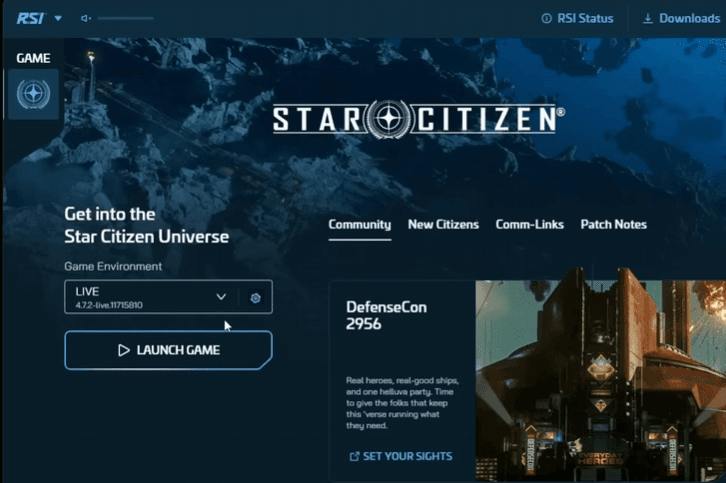
Your first install does not need clever tuning. It needs to work. Open the launcher, let the patch finish, and resist the urge to spend the evening in graphics menus. If your machine is struggling, you can lower things later. For now, the job is simply to get into the live client.
If something looks off, fix the obvious thing and move on. A calm first launch is worth more than a perfect setup that never gets to the game.
3. Follow the tutorial instead of fighting it
The opening prompts are there to reduce guesswork. Read them, follow them, and use the journal when the next step is not obvious. A lot of new-player frustration comes from closing the thing that was trying to help.
- Check the objective before you close the panel.
- Use the journal when you lose the thread.
- Let the game point you somewhere before you try to memorize the whole layout.
If the tutorial feels slow, that is normal. Slow is better than confused.
4. Learn the three screens that matter first
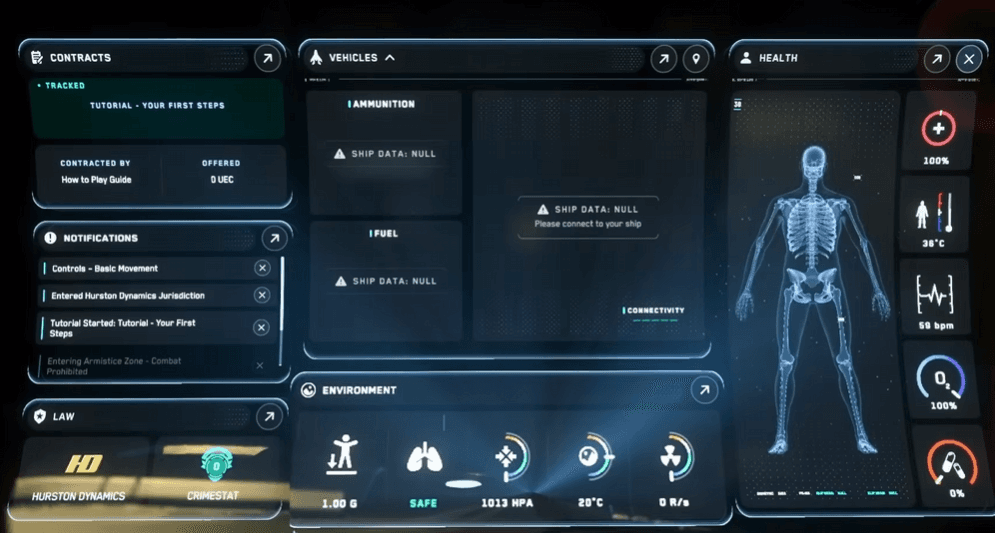
You do not need the full UI tree on day one. You need three reliable places to look when you forget what to do next:
- Inventory — where your gear lives.
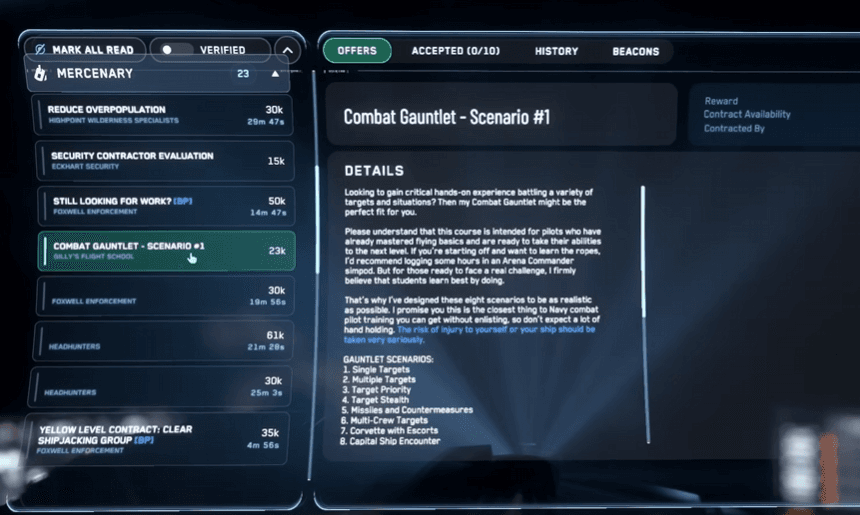
- Contracts — where the first low-pressure jobs are waiting.
- Status / health — where you check whether you are ready to keep going.
Once you know those three, the game gets less mysterious very quickly.
5. Make one short flight on purpose
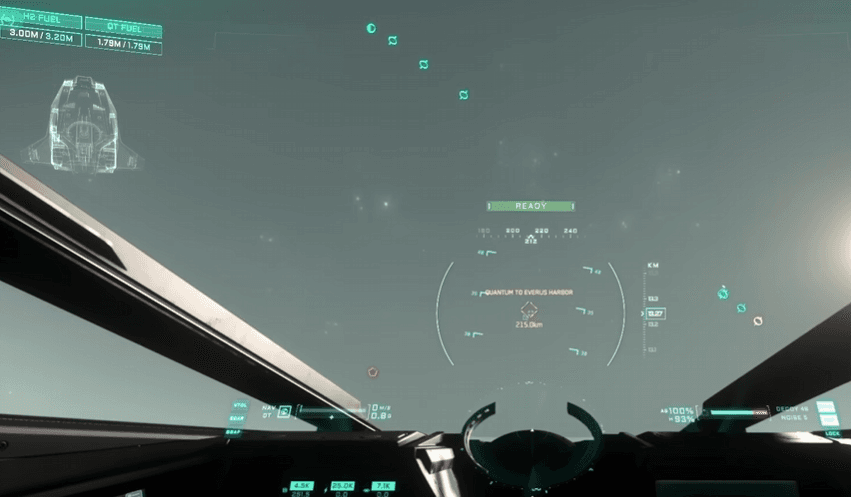
The first flight is not a test. It is a lap around the block. Call the ship, take off, pick a destination, and come back down without turning it into a drama. The win is not speed. The win is doing the whole loop once without getting lost.
If someone or something tries to turn that into a fight, treat it as a preview. Notice how the ship moves, how the HUD behaves, and how the mode changes feel. Then keep going with the plan you started.
6. Take one easy contract and stop there
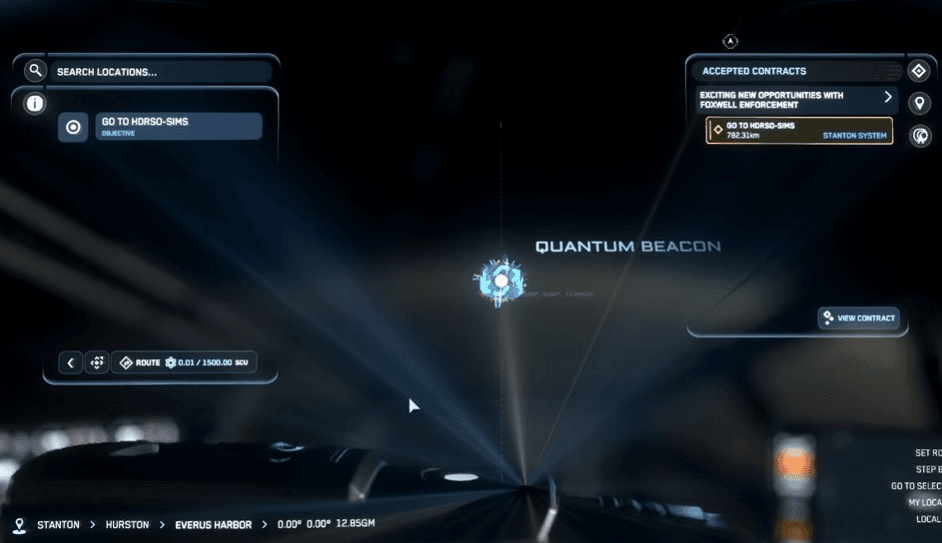
Your first paid job should be the least stressful option on the list. Delivery work or another beginner contract is usually the right call because it teaches you how missions, travel, and turn-in work without asking for deep combat skill.
Finish one job, cash out, and quit while the loop still makes sense. That gives you a real reference point for next time instead of a long streak of almosts.
7. When the session goes sideways
New pilots do not usually need a rescue. They usually need a reset. If you get turned around, miss a lift, or lose your ship, stop and ask the boring questions first: where am I, what does the journal want, and do I need to reclaim the ship before I try again?
Most early mistakes are recoverable. The game gets easier once you stop treating every slip as a reason to restart the whole evening.
What to do next
After one clean session, you can widen the loop. Try a different contract type, learn one more screen, or decide whether your starter ship still feels right. Do that on the second session, not the first.
If you have not made the RSI account yet, the referral code guide is the first stop. If you want the next step after this one, theFirst Hour Guide and First 10 Hours pages keep the pace calm and practical.
Try Star Citizen on the official RSI site
If this guide made the game feel less intimidating, the next step is creating your RSI account. This enlist link includes the referral code so the official new-player bonus can attach during signup.
Test Star Citizen TodayReferral disclosure: if you create an RSI account using this referral code, you receive the official new-player bonus, and this site owner may receive referral rewards.
What this guide drew from
This is an original Verse Pilot guide. It uses our site-owned Star Citizen 4.8 screenshot set to show the steps, but the wording, structure, and recommendations are ours.
Media credits
- Screenshots come from the site-owned public guide-media set built for the Star Citizen 4.8 beginner guide.
- Images are used for editorial commentary and onboarding guidance, not as official RSI material.
FAQ